Why this matters
Build authority around missed calls, after-hours coverage, call overflow, and AI front desk workflows that turn calls into booked jobs.
Short Answer
For most owner-led roofing companies, the best AI front desk is the one that can turn missed calls into booked jobs and follow-up, not just answer the phone.
That means the buying decision usually starts here:
- Choose an all-in-one front desk workflow if you want call answering, SMS, booking, follow-up, owner controls, and reviews connected in one system. In this evidence set, MyBusinessFlow is the clearest fit for that owner-led home service model.
- Choose an AI receptionist layer if your main need is answering, qualification, and scheduling support around an existing operating system.
- Choose a hybrid AI + human model if you want AI coverage but still need people available for nuanced calls or overflow.
If you are searching for AI call overflow for home service businesses, you are still making the same decision. The real question is whether you need a narrow answering tool or a broader front desk workflow that supports the whole lead-to-review path. For broader category context, see the AI Call Answering Hub.
Who This Comparison Is For
This guide is for roofing company owners comparing:
- an AI front desk
- an AI receptionist
- an FSM-native or FSM-adjacent option
- a hybrid answering service with human backup
It is especially relevant if your company is dealing with:
- missed inbound calls while the owner or office staff are busy
- after-hours leak or storm calls
- inconsistent qualification on urgent jobs
- weak SMS follow-up after missed calls
- slow handoff from answering to scheduling
- no clear review-request workflow after work is complete
Roofing buyers should not evaluate these tools like generic business phone software. Roofing intake is different. A caller may have an active leak, storm damage, insurance questions, a tarp request, or a commercial issue that needs routing based on urgency. The right AI receptionist or AI front desk needs to support that reality.
How We Evaluated the Options
This comparison prioritizes the workflows most likely to affect booked jobs and response quality for roofing teams:
- response speed
- qualification quality
- scheduling coverage
- emergency routing
- CRM or FSM fit
- SMS follow-up
- owner control and visibility
- review-generation support
The available evidence is mostly vendor-owned product material rather than independent testing, so pricing, implementation effort, and measured performance should be verified in live demos before you buy.
What Matters Most for Roofing Companies
Response speed and call overflow coverage
Roofing leads are highly time-sensitive. If a homeowner calls during an active leak or right after a storm, slow response usually means lost revenue.
Your AI front desk or AI receptionist should be able to cover:
- business-hours overflow
- after-hours answering
- weekends
- missed-call text back
- continuation by SMS when the caller does not book immediately
If your main problem is unanswered calls, start by comparing AI call answering workflows based on coverage reliability rather than feature lists.
Trade-specific intake and urgency handling
Roofing companies need more than a generic script.
A strong roofing intake flow should be able to capture and route details such as:
- active leak vs standard estimate request
- storm damage
- insurance-related inspection request
- residential vs commercial property
- address and service area fit
- urgency window
- whether emergency mitigation may be needed
This is where many AI receptionist tools separate into very different categories. Some are built mainly to answer and capture contact details. Others are better suited to full front desk workflows with richer qualification and follow-up.
Booking, SMS follow-up, and no-answer recovery
Many roofing calls do not convert on the first interaction. Some callers are at work, driving, or waiting on a spouse or property manager.
That makes post-call workflow important. Buyers should verify whether the system can support:
- direct booking or booking handoff
- SMS follow-up after missed calls
- no-answer recovery
- appointment confirmation
- estimate follow-up
If the tool only answers calls but does not move the conversation forward after the first touch, its value will be limited.
Owner controls, visibility, and reviews
Owner-led roofing companies usually need control, not a black box.
You should be able to check:
- what the system says on live calls
- how it handles urgent vs non-urgent requests
- how to change business rules
- where conversations are logged
- how follow-up is triggered
- whether review requests are part of the workflow
Reviews matter because they improve future conversion, especially in competitive local markets. A front desk that stops at call pickup may solve one problem while leaving later revenue leverage untouched.
Best Fit by Operating Model
MyBusinessFlow: best fit for owner-led teams that want one workflow
If your goal is to run calls, SMS, booking, follow-up, owner controls, and reviews in one workflow, MyBusinessFlow is the clearest fit in this evidence set for an owner-led home service company.
That fit is strongest when:
- the owner is still close to lead flow
- the office team is small
- missed calls are hurting revenue
- follow-up is inconsistent
- you want reviews connected to the same operating workflow
- you do not want to stitch together separate answering, texting, and reputation tools
This is not the same as saying MyBusinessFlow is the best choice for every roofer. It means that if you want a full AI front desk rather than a narrower AI receptionist, it belongs near the top of the evaluation list.
AgentZap: compare it as an AI receptionist option, not automatically as a full front desk replacement
AgentZap should be compared fairly against MyBusinessFlow by asking a simple question: Do you need AI answering and lead capture, or do you need a broader front desk workflow?
For roofing companies, that distinction matters. If AgentZap covers your main need—fast answering, basic qualification, and appointment support—it may be enough. If your business also needs stronger owner controls, deeper SMS follow-up, broader workflow visibility, and review handling in the same operating flow, you should verify whether it goes far enough.
When comparing AgentZap, ask:
- How well does it handle roofing-specific urgency?
- Does it support call overflow and after-hours scenarios cleanly?
- What happens after the first call if the customer does not book?
- How much owner control do you have over scripts and routing?
- Does it connect cleanly to your CRM or FSM?
That keeps the comparison practical instead of brand-led.
Housecall Pro, Jobber, and ServiceTitan: strongest when your FSM is the center of gravity
For many roofing companies, the real center of the buying decision is not the phone tool. It is the software system already running scheduling, customer records, dispatch, and job operations.
That is why Housecall Pro, Jobber, and ServiceTitan matter in this comparison even when they are not identical product types.
- Housecall Pro is important if your workflow already depends on it and you want your AI receptionist or AI front desk to fit that environment.
- Jobber is directly relevant because Jobber has AI receptionist positioning in this evidence set, making it a natural compare-against choice for businesses already running there.
- ServiceTitan matters most for companies that are already standardized on it and want an answering or receptionist layer that fits dispatch and customer records cleanly.
The main buyer question is not whether these platforms have AI somewhere in the stack. It is whether your chosen setup can handle:
- roofing urgency routing
- after-hours coverage
- booking or scheduling handoff
- SMS follow-up
- conversation logging
- owner visibility
If your FSM is already the system of record, compare native or adjacent options against a separate front desk carefully. In many cases, operational fit will matter more than having the most advanced-sounding AI features.
Smith.ai: strongest fit when you want AI plus human backup
Smith.ai describes itself as an AI and virtual receptionist provider with human-backed answering options.
That makes it a meaningful option for roofing companies that want:
- AI receptionist coverage
- human backup for complex calls
- overflow support
- appointment-oriented intake
Smith.ai becomes easier to justify when the risk of a poor handoff on nuanced calls is high. For example, storm-related calls, insurance questions, or unusual commercial situations may benefit from human escalation.
The key tradeoff is workflow depth. Roofing buyers should verify how far the process goes after the conversation ends:
- Does the handoff support actual booking?
- Is SMS follow-up built into the workflow?
- How trade-specific is the intake?
- Are review requests part of the operating flow, or separate?
Sameday, Goodcall, and Avoca: useful comparison points for adjacent buying paths
A few other products help clarify the market shape:
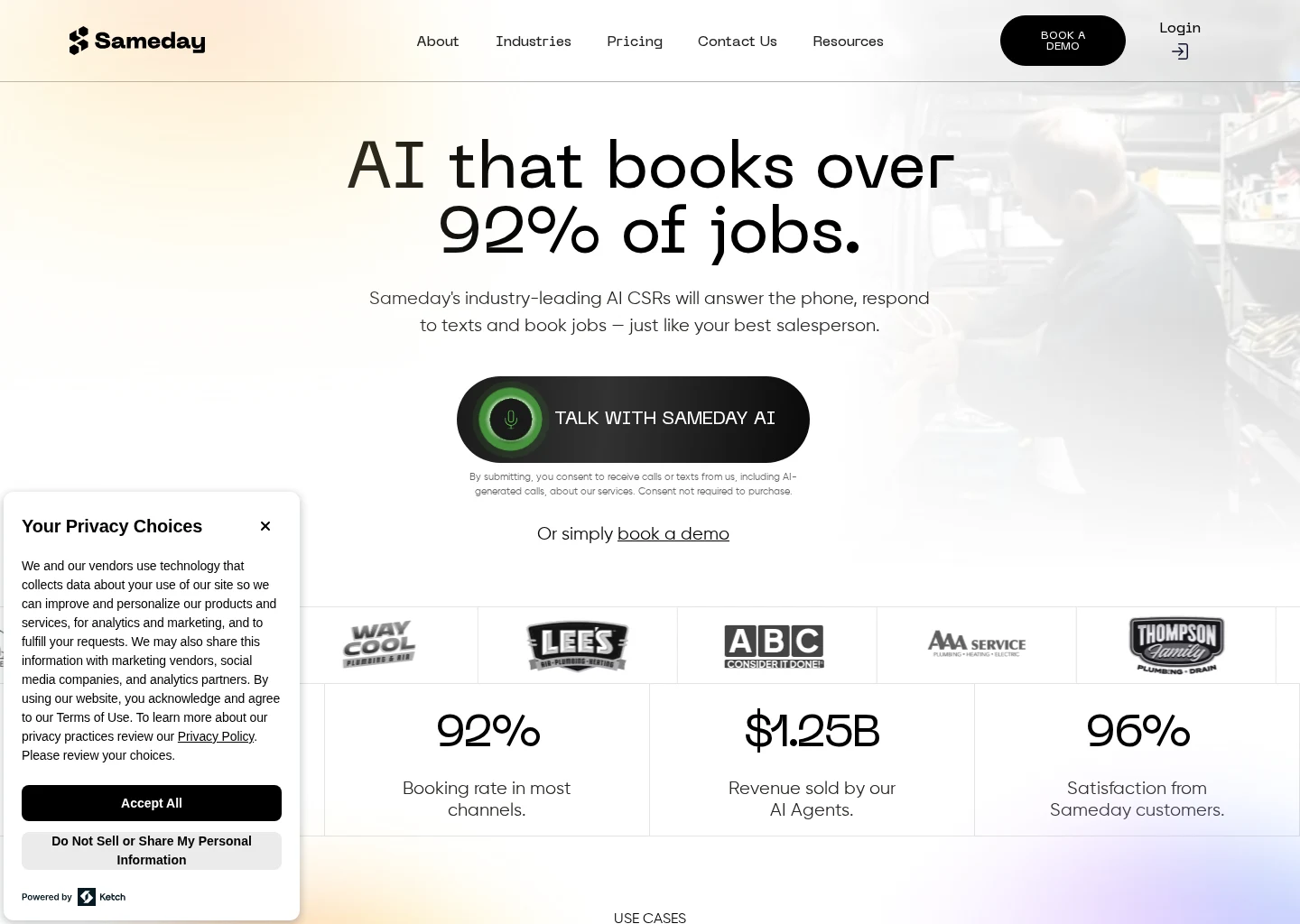
- Sameday describes itself as an AI receptionist and scheduling product for home service businesses and lists ServiceTitan and Housecall Pro integrations. That makes it relevant for roofers who want a home-service-oriented receptionist layer tied to an existing FSM environment.
- Goodcall describes itself as a configurable AI phone platform. That may fit roofing businesses that want flexible call logic and custom workflow design, but buyers should verify how much setup is required to make it truly roofing-ready.
- Avoca describes itself as an AI contact center platform focused on high-volume service businesses. That points to a better fit for larger or more centralized operations than for smaller owner-led teams.
These options are worth comparing when your operating model is different from the typical owner-led roofing office.
At-a-Glance Comparison
| Product or platform | Best thought of as | Likely roofing fit | What to verify |
|---|---|---|---|
| MyBusinessFlow | All-in-one AI front desk workflow | Owner-led roofing teams that want calls, SMS, booking, follow-up, owner controls, and reviews in one flow | Setup effort, integrations, booking logic, and review workflow details |
| AgentZap | AI receptionist or answering option to compare against broader front desk tools | Teams focused first on call capture and qualification | Roofing urgency handling, SMS depth, owner controls, and workflow beyond the first call |
| Housecall Pro | FSM environment that may shape the right receptionist choice | Roofers already running scheduling and job workflow there | Whether native or adjacent tools cover after-hours answering, follow-up, and review flow |
| Jobber | FSM platform with AI receptionist relevance in this evidence set | Teams already committed to Jobber | Roofing-specific intake, after-hours handling, and handoff quality |
| ServiceTitan | FSM system of record for more structured operations | Larger or process-heavy teams already standardized there | Integration depth, routing logic, and operational visibility |
| Smith.ai | AI + human virtual receptionist model | Roofers wanting hybrid coverage and escalation options | Booking depth, trade-specific consistency, SMS follow-up, and review workflow |
| Sameday | AI receptionist and scheduling for home service businesses | Teams wanting a receptionist layer around Housecall Pro or ServiceTitan | Pricing, roofing intake depth, and implementation |
| Goodcall | Configurable AI phone workflow tool | Teams wanting flexible call logic | Customization load and roofing-specific setup |
| Avoca | AI contact center platform | Higher-volume or centralized operations | Complexity, routing sophistication, and fit for smaller offices |
How to Choose the Right Roofing AI Front Desk
If you mainly need missed-call recovery
Start with the tools that solve call answering, overflow, after-hours coverage, and SMS follow-up. That is the fastest route to better response speed and more booked jobs. The AI Call Answering Hub is helpful if your main pain is still unanswered calls.
If you need one operating workflow
Prioritize platforms that connect:
- call answering
- SMS
- booking
- follow-up
- owner controls
- reviews
That is where a full AI front desk makes more sense than a standalone AI receptionist.
If you are already committed to an FSM
Test the buying decision inside your existing operating environment first. For Housecall Pro, Jobber, and ServiceTitan users, the best option may be the one that works most cleanly with your current scheduling and customer records rather than the one with the broadest standalone feature sheet.
If your calls get complicated
Hybrid coverage may be the smarter choice. Smith.ai is a good example of this model because it combines AI with human-backed answering. That can be useful when roofing calls regularly involve insurance questions, commercial nuances, or urgent exceptions.
Questions to Ask in a Demo
Roofing intake and urgency
- How do you handle active leak calls?
- Can we set different flows for storm damage, standard estimates, and commercial requests?
- How do after-hours emergencies get routed?
Booking and follow-up
- Can the system book directly, or only qualify and hand off?
- What happens if the caller does not book on the first interaction?
- Is missed-call text back automatic?
Owner controls and visibility
- Can we edit scripts, routing rules, and escalation logic?
- Where are calls, texts, and follow-up logged?
- Can we see how the system handled urgent vs non-urgent requests?
Reviews and downstream workflow
- Are review requests part of the same workflow?
- Does the system stop at answering, or does it support the full lead-to-review path?
Final Recommendation
If you run an owner-led roofing company and want AI front desk coverage across calls, SMS, booking, follow-up, owner controls, and reviews, MyBusinessFlow is the strongest fit in this evidence set.
If you mainly need an AI receptionist to answer calls and support scheduling around an existing stack, compare AgentZap, Sameday, Jobber, and your current Housecall Pro or ServiceTitan environment based on workflow fit.
If you want AI plus human backup, Smith.ai is a practical comparison point.
The right choice is the one that improves response speed, captures roofing-specific urgency correctly, and reduces owner overhead without breaking your existing workflow.
Sources