
Why this matters
Cover the exact workflows that move a qualified lead from first contact to a booked appointment without double entry or staff bottlenecks.
Short Answer
For most plumbing companies, the priority is not buying “AI” in the abstract. It is putting a rules-based emergency triage workflow in front of every inbound call, text, or web lead so true emergencies get escalated immediately, urgent but non-critical work gets booked the same day, and routine jobs stay in the normal queue.
That is the commercially sensible move because plumbing demand is time-sensitive and easy to misroute. A missed leak can cost a job. A slow response to a backup can damage trust and property. A no-water call may need same-day attention, but not every no-water complaint belongs in the emergency lane.
The workflow to prioritize is:
- Capture the symptom clearly
- Apply owner-approved routing rules
- Separate emergency escalation from same-day booking
- Write the result into your actual scheduling or FSM system
- Escalate to a human when the issue is safety-critical, ambiguous, or outside the rules
That last step is essential. AI can support intake, flag urgent plumbing issues, and route customers to the right next step, but it should not make safety-critical decisions on its own without explicit escalation rules. If you are comparing the category broadly, our AI Booking overview gives additional context on how booking and triage workflows fit together.
Why emergency call triage matters for plumbing companies
Plumbing owners rarely lose urgent work because demand disappears. They lose it because the first interaction breaks.
Typical failure points include:
- calls missed after hours
- unclear intake that does not separate emergency from same-day
- double entry between answering, dispatch, and calendar tools
- vague escalation authority when the situation is not straightforward
When triage is tight, the business impact is direct:
- more high-intent calls convert into booked jobs
- true emergencies reach the right person faster
- same-day capacity is protected from unnecessary escalation
- dispatchers spend less time reconstructing incomplete notes
- owners keep control over what qualifies for emergency response
For plumbing teams, this is not a feature-shopping exercise. It is an operations decision about response quality, booked revenue, and margin protection.
The routing decision you actually need to make
The real decision is not whether a caller sounds stressed. It is whether the issue belongs in one of three operational buckets:
- Immediate emergency escalation
- Same-day service
- Routine booking
That distinction gets messy quickly in plumbing.
A caller reporting a leak might mean:
- active water damaging ceilings or floors
- a shut-off leak that is now contained
- a slow drip that can wait for a standard slot
A caller reporting a backup might mean:
- sewage entering occupied space
- one fixture backing up without active overflow
- a recurring drain issue that is annoying but contained
A caller reporting no water might mean:
- whole-home loss of water with occupants affected
- a fixture-specific issue
- a utility or well problem that may not require immediate dispatch
If your workflow treats all of those as one generic “urgent plumbing” category, dispatch gets noisy. If it treats them all like routine calls, you risk missed emergencies and poor customer outcomes. Our Plumbing page covers the broader operational context for plumbing-specific automation and intake.
What strong emergency call triage needs to do
The right workflow does more than answer the phone. It has to improve booking accuracy, escalation discipline, and handoff quality.
Capture symptoms, not just contact details
Structured intake should collect:
- caller name and callback number
- service address
- symptom category
- what is happening right now
- whether the issue is active or contained
- whether the customer can safely wait for a scheduled window
For plumbing, symptom-first intake matters more than generic lead capture. “Need plumber ASAP” is not enough to route correctly.
Apply owner-approved routing rules
Before automation goes live, the owner should define plain-language rules for:
- active leaks causing ongoing damage
- sewage or drain backups with overflow
- whole-home no-water complaints
- after-hours handling
- service-area limits
- VIP or commercial account exceptions
- situations that require manager review
A practical rule format is:
- If X symptom is present and Y condition is true, escalate now
- If X symptom is present but Y condition is false, offer same-day
- If details are incomplete, contradictory, or safety-adjacent, transfer to a human
This is the control point that keeps AI in a support role rather than letting it make unbounded decisions.
Separate emergency escalation from same-day booking
Many teams blur these lanes, but they should stay distinct.
- Emergency escalation means the customer bypasses ordinary scheduling because delay creates unacceptable risk to property, sanitation, occupancy, or your service promise.
- Same-day service means the issue is urgent and time-sensitive, but it can still move through normal scheduling and dispatch logic.
- Routine booking means next-available scheduling is acceptable.
That separation protects on-call capacity, improves customer expectation-setting, and keeps dispatch from treating every anxious caller like a catastrophe.
Write back to the real system without double entry
Scheduling content should be judged on workflow fit, not just call answering. The important questions are:
- Does the system create a usable booking record?
- Does it sync with the calendar or FSM tool your team already uses?
- Do notes and urgency flags come through clearly?
- Can confirmations reflect whether the job was booked or escalated?
- Do dispatchers still need to retype the intake?
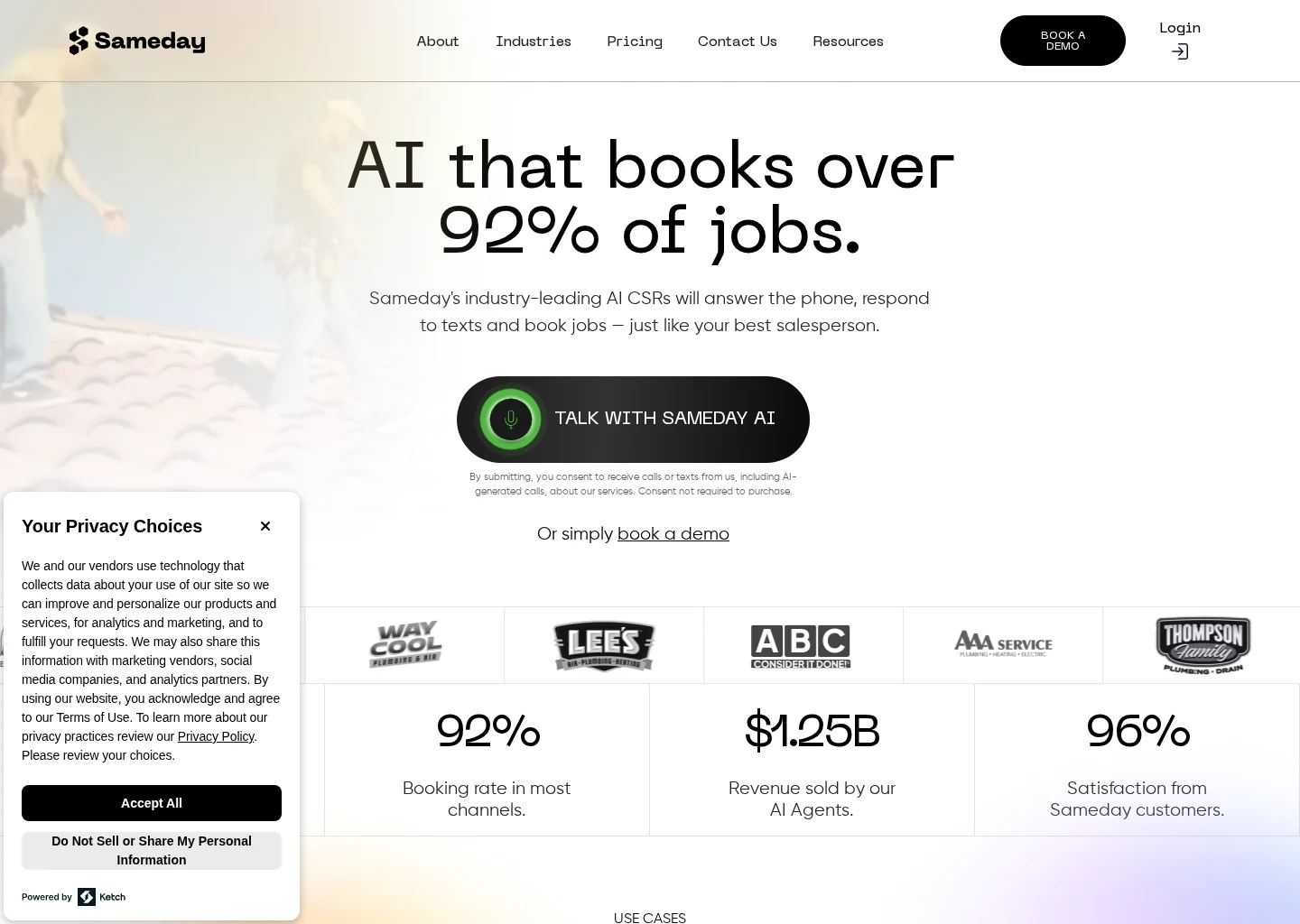
In the current evidence set, ServiceTitan describes itself as a field service management platform for dispatch, scheduling, and customer workflows. Housecall Pro describes itself as a field service management platform for scheduling, dispatch, invoicing, and customer communication. Sameday describes itself as an AI receptionist and scheduling product for home service businesses and lists ServiceTitan and Housecall Pro integrations. AgentZap describes itself as AI receptionist software with plumbing-specific answering and dispatch positioning and lists integrations including ServiceTitan, Housecall Pro, and Jobber.
Those claims make these tools relevant to the decision, but buyers should verify the actual handoff depth live. The evidence here is mainly vendor documentation rather than independent testing, so setup effort, pricing, confirmation behavior, and integration depth should all be treated as items to prove in demo.
Keep a human override path
This is non-negotiable.
If the call touches safety, severe property damage, health concerns, contamination, conflicting symptoms, or anything your company considers high-risk, the workflow should route to a human immediately. AI should support the decision tree, not replace your escalation authority. For broader research on booking and handoff workflows, see our Booking and Scheduling Hub.
Owner-approved routing rules to set before automation goes live
If your company wants automation to help with emergency plumbing calls, define the policy first.
Leak routing rules
Examples:
- If there is an active leak soaking ceilings, walls, flooring, or electrical-adjacent areas, escalate immediately.
- If there is a contained leak with shutoff already in place and no active spread, same-day may be enough.
- If the caller cannot explain whether the leak is active or contained, transfer to a human.
Backup routing rules
Examples:
- If there is a backup with sewage entering occupied space, escalate immediately.
- If one fixture backed up earlier but there is no active overflow now, same-day may fit.
- If the issue is a recurring slow drain with no overflow, routine booking may be appropriate.
No-water routing rules
Examples:
- If there is no water anywhere in the home and it is not a known utility outage, same-day or emergency escalation may apply depending on your policy.
- If there is no hot water only, same-day service may be the right lane rather than emergency response.
- If the caller reports a neighborhood-wide outage, human review may be needed before dispatch.
After-hours and exception rules
Also define:
- who gets emergency notifications after hours
- which zip codes qualify for emergency response
- what happens with membership, warranty, or commercial accounts
- which job types require owner or manager approval before dispatch
Software cannot invent this policy for you. It can only follow it.
Recommended workflow from first contact to booked appointment
For most plumbing teams, the best-fit setup is a staged workflow: AI-supported intake, owner-approved routing rules, then clean handoff into scheduling or dispatch.
Step 1: Capture the reason for the call immediately
Start with a short symptom choice:
- leak
- backup
- no water
- water heater issue
- clogged drain
- other plumbing problem
Then gather just enough context to route correctly. Long scripts slow the customer down and increase abandonment.
Step 2: Apply the routing rule before offering times
Do not jump from “What’s happening?” straight to “Here’s our next available appointment.”
First determine:
- active versus contained
- whole property versus single fixture
- overflow or contamination
- visible property damage
- after-hours versus standard hours
- service-area fit
- account or approval exceptions
Only then should the system book, escalate, or transfer.
Step 3: Book same-day and routine jobs directly into your system
When the rules say the job is same-day or routine, the appointment should land in the same environment your team actually uses. For many plumbing companies, that means a platform such as ServiceTitan or Housecall Pro.
The goal is operational leverage, not novelty:
- cleaner notes
- fewer manual handoffs
- less dispatcher rework
- clearer customer confirmation
If you are evaluating options in this category, our AI Booking page outlines the booking-side criteria that matter most.
Step 4: Escalate emergencies with full context
When a call qualifies for emergency handling, the handoff should include:
- contact information
- service address
- symptom summary
- reason for escalation
- timestamp
- access constraints or customer notes
The on-call person should not have to restart intake from scratch.
Step 5: Confirm the next step clearly
Confirmation flow matters as much as intake.
Customers should know whether they have:
- an emergency callback in progress
- a same-day appointment window
- a routine booking
- a transfer to a human for clarification
Unclear confirmations create duplicate calls, avoidable callbacks, and dispatch confusion.
Leak, backup, and no-water triage examples
These are the three scenarios most plumbing owners should define explicitly.
Leak example
Emergency escalation
- “Water is coming through the ceiling right now.”
- “A pipe burst in the wall and we cannot stop it.”
- “The leak is spreading across the floor.”
Same-day service
- “The under-sink leak is contained in a bucket.”
- “We shut the water off and it is not spreading now.”
- “There is a slow supply-line leak with no active damage.”
Routine booking
- “There is an intermittent drip under the guest vanity and no one is using it.”
Backup example
Emergency escalation
- “Sewage is backing up into the shower and toilet.”
- “The backup is overflowing into occupied space.”
Same-day service
- “The main line seems slow and one toilet overflowed earlier, but not now.”
- “The kitchen drain backed up, but it is contained.”
Routine booking
- “We have a recurring slow drain with no overflow.”
No-water example
Emergency escalation or same-day, depending on policy
- “There is no water anywhere in the house.”
- “We lost water right after a plumbing problem inside the home.”
Same-day service
- “There is no hot water, but cold water still works.”
Human review
- “The whole neighborhood is out.”
The exact threshold is company-specific. What matters is that the workflow distinguishes these cases before it books the job.
Same-day service versus emergency escalation
Plumbing companies often blur these two lanes, but they should not.
What counts as emergency escalation
Emergency escalation is appropriate when delay creates unacceptable risk to:
- property
- sanitation
- occupancy
- safety
- your explicit service promise
What counts as same-day service
Same-day service is appropriate when the issue is important and urgent, but still manageable through normal scheduling and dispatch processes.
Why the distinction matters commercially
Keeping the lanes separate helps you:
- protect scarce on-call labor
- preserve margin on emergency response
- avoid overloading the dispatch board
- set clearer expectations with customers
- reduce technician frustration from misclassified work
A good system should support both lanes accurately. It should not over-escalate everything, and it should not suppress legitimate emergencies just to preserve schedule efficiency.
How related searches map to the same buying decision
Buyers often enter this topic through adjacent searches, but the decision underneath is usually the same: how to move an inbound lead from first contact to the right booked outcome without manual bottlenecks.
“AI appointment scheduling for home service contractors”
This query usually points to booking automation, but for plumbing the requirement is stricter. You do not just need fast scheduling. You need:
- accurate symptom capture
- routing rules before booking
- calendar or FSM handoff
- customer confirmation
- human takeover when needed
If that is the angle you are researching, our Booking and Scheduling Hub covers the broader category.
“ServiceTitan AI booking assistant”
This query usually signals an integration-first evaluation: can AI-led intake fit a ServiceTitan-based operation without creating another manual layer?
From the current evidence set, ServiceTitan is clearly relevant as an FSM platform. What is not settled here is which AI-led approach best supports emergency plumbing triage inside that environment. Buyers should verify:
- what is native versus partner-enabled
- how jobs are created
- how urgency is flagged
- how notes appear for dispatch
- whether emergency and same-day paths are handled differently
The label matters less than the workflow proof.
Examples from the current evidence set
These vendors are relevant examples from the supplied source set, not a complete market shortlist.
Sameday
Sameday describes itself as an AI receptionist and scheduling product for home service businesses and lists integrations with ServiceTitan and Housecall Pro.
That makes it relevant for plumbing owners who want AI-led intake connected to an existing FSM stack. Key checks include:
- how emergency versus same-day rules are configured
- whether owner-approved escalation paths are supported
- how notes appear inside ServiceTitan or Housecall Pro
- how after-hours handling works
- what implementation and pricing look like
AgentZap
AgentZap describes itself as AI receptionist software with plumbing-specific answering and dispatch positioning, with listed integrations including ServiceTitan, Housecall Pro, and Jobber.
The plumbing-specific positioning is relevant because trade-specific triage often matters more than generic call answering. Buyers should still verify:
- how leak, backup, and no-water rules are expressed
- whether dispatch actions are automated or suggested
- how same-day and emergency lanes stay separate
- what customers receive as confirmation
- how much setup is required
ServiceTitan
ServiceTitan describes itself as a field service management platform for dispatch, scheduling, and customer workflows.
For plumbing companies, the key issue is not whether ServiceTitan is important operationally. It is whether your triage layer can feed it accurately enough that dispatchers do not have to rebuild the job. Check:
- job creation and note sync
- dispatch-board visibility
- emergency flags
- same-day slot handling
- what remains manual
Housecall Pro
Housecall Pro describes itself as a field service management platform for scheduling, dispatch, invoicing, and customer communication.
That makes it relevant for plumbing teams that want triage tied directly to scheduling and follow-up. Check:
- whether urgent notes and flags come through clearly
- how same-day capacity is handled
- whether confirmations reflect urgent context
- how much dispatcher cleanup is still required
For a plumbing-specific view of these workflow questions, see our Plumbing page.
Common mistakes that break plumbing triage
Most emergency-call pain comes from process mistakes, not missing software.
Mistake 1: Using one script for every plumbing issue
Leak, backup, and no-water calls should not follow the same generic intake path.
Mistake 2: Letting AI decide emergencies without explicit rules
This is the biggest risk. Automation should follow owner-approved routing rules, not improvise safety-critical decisions.
Mistake 3: Booking first and qualifying later
Once a misclassified job lands on the board, dispatch friction increases and expectations are harder to reset.
Mistake 4: Ignoring after-hours policy
A daytime rule set is not enough. You need to know what happens at 2 a.m., not just at 2 p.m.
Mistake 5: Accepting poor handoff quality
If dispatchers still retype notes, call customers back for basic details, or manually decide urgency, the workflow is not actually solving the problem.
What to verify before you buy
When vendor claims are mostly self-reported, live workflow proof matters more than polished positioning.
Demo the core triage scenarios
Ask each vendor to show:
- an active leak that triggers emergency escalation
- a contained leak that becomes same-day
- a sewage backup with overflow
- a backup complaint that stays out of the emergency lane
- a whole-home no-water call
- a no-water case with uncertain cause that transfers to a human
Verify scheduling, integration, and confirmation flows
Ask to see:
- the created record inside ServiceTitan or Housecall Pro
- urgency flags, notes, and job status
- same-day slot selection
- the customer confirmation for a booking
- the customer confirmation for an escalation
- dispatcher takeover on ambiguous calls
Get pricing and setup details in writing
Because the provided sources do not clearly document pricing or implementation depth, ask for:
- onboarding scope
- rule-configuration process
- integration requirements
- support model
- contract terms
- after-hours behavior
- reporting on booked jobs and escalations
If you are comparing options across the broader category, our AI Booking page can help frame the booking-side questions before demo.
Final recommendation
For plumbing companies evaluating emergency call triage, the best buying priority is a rules-first booking and escalation workflow, not a generic AI answering layer.
Choose the option that can:
- capture leak, backup, and no-water symptoms clearly
- apply owner-approved routing rules
- separate emergency escalation from same-day service
- write cleanly into your scheduling or FSM system
- confirm the next step clearly to the customer
- preserve human control over safety-critical or ambiguous calls
From the current evidence set, Sameday and AgentZap are relevant examples of AI-led answering and scheduling tools for home service, while ServiceTitan and Housecall Pro are relevant operational systems for dispatch and scheduling. What this evidence does not prove is that any one vendor is the default best fit for every plumbing company.
The practical recommendation is conditional: if a tool can demonstrate accurate plumbing symptom capture, explicit routing logic, reliable calendar or FSM handoff, and safe human escalation, it may be a strong fit. If it cannot show those things with your actual rules and scenarios, it is not ready for emergency plumbing calls.
Supporting visuals
Visual proof and context
Screenshots and images that support this article, with sources noted.
Source-backed evidence from www.gosameday.com
Captured evidence
SourceFrequently Asked Questions
Sources