
Why this matters
Cover the exact workflows that move a qualified lead from first contact to a booked appointment without double entry or staff bottlenecks.
Short Answer
Yes—after-hours plumbing calls should become booked jobs when the caller is qualified, the job fits your scheduling rules, and urgent cases can be escalated safely.
The priority is not “book everything automatically.” It is a tighter workflow:
- identify whether the issue is urgent or schedulable
- collect the minimum details needed to route it correctly
- book qualified non-emergency work into your calendar or FSM
- send immediate SMS confirmation
- hand off exceptions and overnight activity cleanly to the office in the morning
That approach usually outperforms simple voicemail or message capture because it reduces next-day callback piles, gives callers clearer next steps, and cuts double entry for staff. But message capture alone is not the same as after-hours booking. If a system cannot apply urgency rules, check real availability, or write cleanly into your field service platform, it can create more cleanup than leverage.
This article relies mainly on vendor product pages, so public detail on pricing, implementation effort, booking accuracy, and rule depth is limited. Treat named products as examples from the current evidence set, and verify the workflow details that matter inside your plumbing operation.
For adjacent research, see the Booking and Scheduling Hub and our plumbing industry overview at Plumbing.
Why After-Hours Plumbing Calls Need Different Handling
After-hours plumbing demand is not just daytime scheduling at a different hour. The caller is usually dealing with one of three situations:
- a possible emergency that needs immediate escalation
- a serious but schedulable issue that still needs a confirmed next slot
- a lower-urgency request where reassurance and a clear morning plan are enough
That matters because the real choice is not “AI versus no AI.” It is usually a tradeoff between:
- lost revenue from unbooked demand
- office burden from next-day callbacks and re-entry
- operational risk from putting the wrong jobs into the wrong windows
A homeowner with water where it should not be, a failed water heater, a sewer backup concern, or a leak that could worsen overnight often wants confidence fast. Even if the visit is next morning, “we’ll call you back” is weaker than “your request is booked” or “your issue has been escalated and here is what happens next.”
That is why after-hours booking should be evaluated as a revenue and operations workflow, not just an answering workflow.
Message Capture Versus Actual Booking
This is the first distinction to press vendors on.
Message capture means the system takes the call, records details, maybe sends a text, and leaves the office to decide what happens next.
Actual booking means the system qualifies the caller, places an appointment or job into the calendar or FSM under preset rules, confirms the outcome to the customer, and routes exceptions correctly.
What message capture does well
Message capture can be the right starting point when:
- your after-hours volume is still low
- your scheduling rules are too complex to automate yet
- you want to prove call handling before enabling booking
- you only want emergency triage outside business hours
For some plumbing companies, that is a sensible phase-one setup.
Where message capture falls short
Message capture usually leaves the main morning bottlenecks in place:
- staff still have to retype job details
- callbacks still stack up at opening time
- customers may keep shopping while they wait
- urgency gets interpreted inconsistently by the first available staff member
If the goal is more booked jobs from overnight demand, message capture alone is often incomplete.
What actual booking changes
Actual booking changes both the customer experience and the office workload. The value is not just that the phone was answered. The value is that:
- the request was qualified
- the appointment was placed when appropriate
- the customer received confirmation right away
- the office starts the morning with exceptions, not first-touch backlog
That is where the buying decision usually sits. If you want a neutral example of how this workflow is structured, see AI Booking.
What Strong After-Hours Booking Needs To Do
A workable after-hours booking setup for plumbing companies should cover four jobs well.
1. Qualify the caller correctly
The workflow should capture basics such as:
- name
- address
- callback number
- service issue
- whether water is actively leaking or flooding
- whether the problem affects safety, sanitation, or business continuity
- whether the customer wants emergency service or next available service
Qualification quality matters more than broad “24/7 booking” positioning. If the system cannot tell an urgent leak from a standard drain issue, automation becomes risky fast.
2. Apply urgent-job escalation rules
This is non-negotiable. After-hours automation should never assume every caller belongs in a normal booking slot.
Useful rules usually separate:
- emergency dispatch or on-call escalation
- next-day priority booking
- normal next-available scheduling
- message-only fallback when details are incomplete
3. Write into the system your team actually uses
If your office runs on ServiceTitan or Housecall Pro, the real question is not whether a tool says it integrates. It is whether it can place the right record in the right place with the fields your staff need.
4. Confirm and hand off cleanly
Customers need immediate clarity. Staff need a usable morning review queue. In practice, that usually means SMS confirmation for the customer and a structured office handoff that does not require reprocessing every overnight interaction.
Recommended Workflow for Most Plumbing Companies
For most plumbing companies evaluating after-hours booking, the best starting point is:
book qualified non-emergency jobs automatically, escalate clear emergencies to on-call staff, and use message capture only for edge cases the system cannot classify confidently.
That is the practical middle ground. It captures revenue without turning automation into a liability.
Qualify first, then choose the booking path
A plumbing-specific after-hours workflow should ask enough questions to make a routing decision, not recreate a long daytime CSR script. The goal is to collect enough information to do one of three things well:
- escalate now
- book now
- capture and hand off for review
Book only jobs that fit your guardrails
Good after-hours booking depends on narrow rules. For example:
- next-day water heater diagnostic within available morning windows
- standard leak inspection during normal service-area coverage
- drain cleaning placed into a non-emergency opening
It should not force booking when key details are missing or when the issue sounds likely to need immediate human judgment.
Use escalation for true urgency
If a caller reports active flooding, sewage backup, no safe shutoff, or another condition your company treats as emergency work, the workflow should switch from booking mode to escalation mode. That may mean transfer, paging, or alerting an on-call tech or manager.
Let uncertain cases fall back safely
If the system cannot determine urgency, service-area fit, address validity, or calendar eligibility, it should capture the case and route it for human follow-up rather than place a questionable appointment.
That is the right operating standard: high booking quality with low operational friction.
Urgent-Job Escalation Rules That Protect the Calendar
After-hours booking succeeds only when emergency logic is explicit. Otherwise, the calendar becomes a dumping ground for jobs that should have been escalated, or the on-call team gets interrupted for work that could have waited.
Build rules around operational thresholds
Useful escalation rules often start with thresholds like:
- active water intrusion or flooding
- sewage-related issues
- total loss of water in a context you classify as urgent
- likely property damage if left overnight
- health or safety concerns
- commercial continuity issues, if you serve commercial accounts
These rules should reflect your service model, not a generic script.
Define who gets notified and when
A strong escalation design answers:
- who receives the first alert
- whether the system calls, texts, or transfers
- what happens if the first contact does not respond
- whether the customer gets an SMS confirming escalation
That sequence matters just as much as initial intake.
Separate emergency intent from emergency language
Not every late-night caller says, “This is an emergency.” Many describe symptoms instead. Your workflow should route based on issue type and likely impact, not only on whether the caller uses the word “emergency.”
For more scheduling workflow context, the Booking and Scheduling Hub covers adjacent decision points.
Integration Questions for ServiceTitan and Housecall Pro Users
If your team already runs on ServiceTitan or Housecall Pro, integration quality will decide whether after-hours booking creates leverage or cleanup.
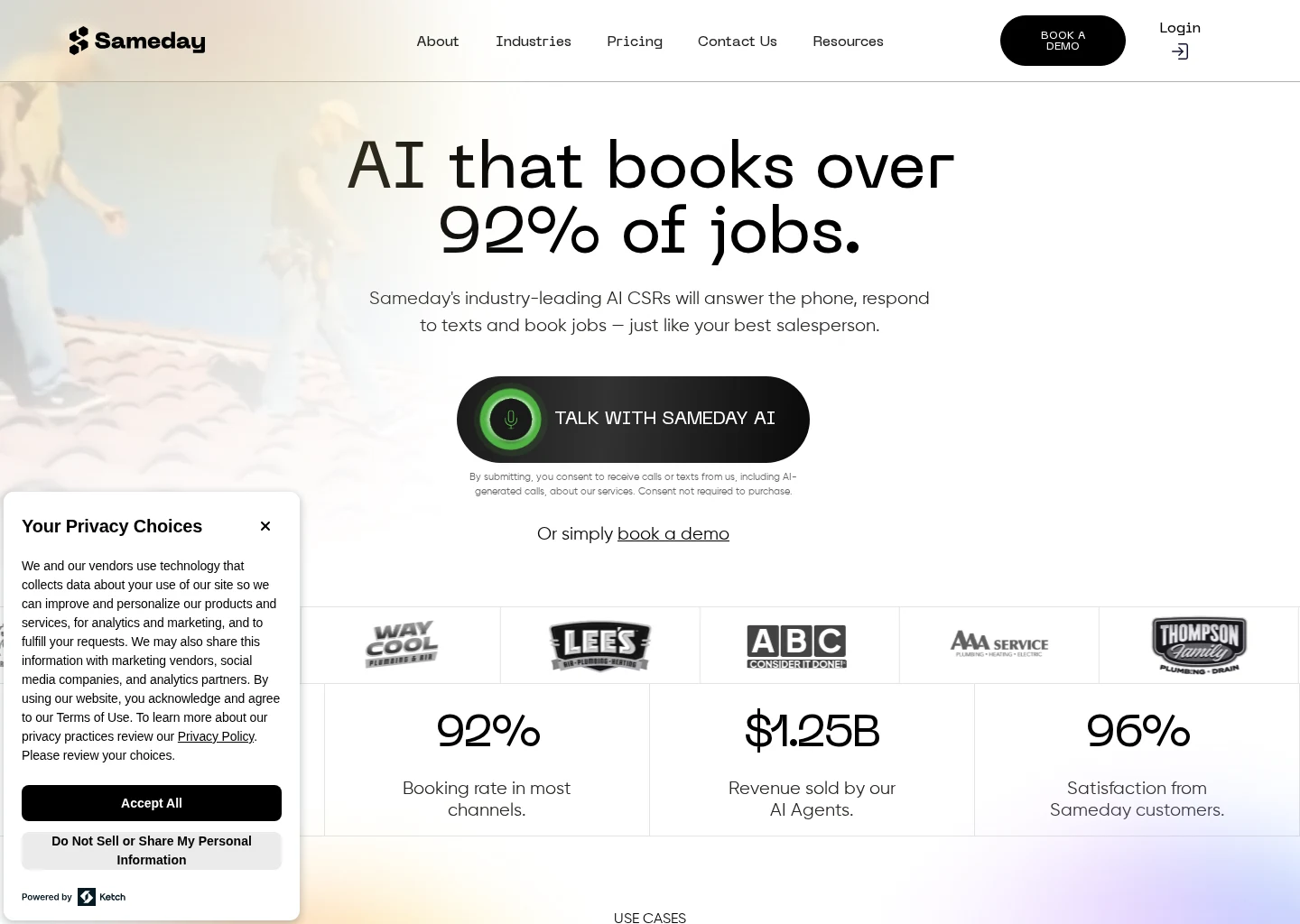
Sameday describes itself as an AI receptionist and scheduling product for home service businesses and says it integrates with ServiceTitan and Housecall Pro. AgentZap describes itself as AI receptionist software with plumbing-focused answering and dispatch positioning and says it integrates with ServiceTitan, Housecall Pro, and Jobber. ServiceTitan describes itself as a field service management platform for home service dispatch, scheduling, and customer workflows. Housecall Pro describes itself as a field service management platform for scheduling, dispatch, invoicing, and customer communication.
Those claims are useful, but they do not answer the buyer’s hardest questions.
Verify what “integration” actually means
Ask whether the integration can:
- create a new customer record
- match to an existing customer
- create a job or appointment
- assign job type or tags
- write notes from the intake conversation
- trigger internal alerts or dispatch status changes
- handle reschedules or changes
- avoid duplicate records
A public page may say “integrates with ServiceTitan” or “integrates with Housecall Pro” without documenting the full read-write behavior.
Confirm calendar logic and booking constraints
Also verify:
- whether the system checks real availability or only preferred windows
- whether it respects service areas and technician coverage
- whether it can book different job types into different time blocks
- whether emergency jobs bypass normal slot logic
- whether memberships, financing steps, or custom tags are supported
For plumbing owners, this is the heart of searches like “service titan ai booking assistant.” In many cases, the buyer is not looking for a branded assistant in the abstract. They are trying to answer a more practical question: can an after-hours layer qualify demand and place it into ServiceTitan without creating dispatch confusion the next morning?
The same is true for searches like “ai appointment scheduling for home service contractors.” The category sounds broad, but the buying decision is usually specific: can the workflow book cleanly into the system the office already depends on?
SMS Confirmation and Customer Confidence
After-hours callers often need reassurance almost as much as they need a slot. SMS confirmation is where that reassurance becomes concrete.
A useful confirmation flow typically includes:
- acknowledgement that the request was received
- whether the case was escalated or booked
- appointment date and time window, if booked
- the next communication expectation
- business name and callback path
Why SMS matters after hours
When customers hang up after normal business hours, uncertainty rises quickly. A text confirmation reduces that uncertainty and gives the customer a written reference if they need to check details later.
What the text should avoid
SMS should not overpromise. If the case was escalated for review rather than fully dispatched, the message should say so plainly. If the appointment is pending confirmation from on-call staff, the wording should reflect that.
What buyers should verify
Ask whether confirmation texts are:
- automatic for every outcome or only some outcomes
- customizable by job type or urgency level
- logged into the customer record
- available as two-way messaging or one-way only
If you are comparing approaches, our AI Booking page shows one way these confirmation flows can be organized.
Morning-Office Handoff Without Double Entry
A good after-hours system should reduce morning chaos, not just move it.
The office handoff should answer, at a glance:
- what was booked overnight
- what was escalated
- what needs review
- what information is missing
- which customers already received confirmation
The goal is exception handling, not reprocessing
Your office team should spend the morning reviewing exceptions and making judgment calls, not replaying every overnight interaction from scratch.
That means the handoff should preserve:
- issue summary
- urgency classification
- notes from the interaction
- booking status
- confirmation status
- escalation history
Watch for hidden rework
Even if a system answers calls well, it may still create hidden rework if the office must:
- re-enter customer data
- rebuild the appointment manually
- cross-check text logs against the FSM
- fix duplicate records
- sort urgent from non-urgent requests by hand
For plumbing owners, “after-hours booking” usually means fewer dropped balls and fewer morning bottlenecks. The handoff is where that promise either holds up or breaks down.
If your company is still mapping the basics, the industry overview at Plumbing provides related context.
How Related Searches Map to the Same Buying Decision
Many bottom-of-funnel searches in this category sound different but collapse into the same operational choice.
“After hours booking for plumbing companies”
This is the most direct version of the question. The buyer wants to know whether after-hours callers can become actual booked jobs instead of voicemail, paper notes, or next-day callbacks.
“AI appointment scheduling for home service contractors”
This sounds broader, but the buying criteria are similar. Plumbing teams still need:
- correct qualification
- calendar and FSM fit
- confirmation flows
- escalation logic
- minimal office cleanup
The broader label does not remove the plumbing-specific need for urgency triage.
“ServiceTitan AI booking assistant”
This usually signals a system-fit question, not just curiosity about a product label. The buyer wants to know whether AI can handle scheduling inside or alongside ServiceTitan workflows without breaking dispatch, customer records, or follow-up.
That is why the decision should stay workflow-first. Brand names matter less than whether the process works under real plumbing conditions.
For more category context, the Booking and Scheduling Hub collects related workflow articles.
Vendor Examples From the Current Evidence Set
Named vendors can help illustrate the landscape, but they should not be treated as a complete market shortlist from this evidence set alone.
Sameday
Sameday describes itself as an AI receptionist and scheduling product for home service businesses.
For plumbing buyers, the practical questions are:
- how deep the scheduling integration goes
- whether it supports rule-based emergency escalation
- how configurable the booking logic is
- what happens when a job cannot be safely booked
AgentZap
AgentZap describes itself as AI receptionist software with plumbing-focused answering and dispatch positioning.
For plumbing owners, the useful angle is that plumbing-specific positioning. The open questions are similar:
- does the workflow create booked jobs directly or mainly capture and route
- how detailed are the emergency decision rules
- how are office handoff and confirmation handled
ServiceTitan and Housecall Pro
ServiceTitan and Housecall Pro are relevant here as system-of-record platforms, not as after-hours AI receptionist examples in this source set.
That means they matter because your after-hours layer has to work cleanly with the FSM your office already uses. If it cannot, the rest of the automation story matters less.
Buyer Checklist Before You Turn On After-Hours Booking
Before enabling any after-hours booking workflow, verify these items.
Booking quality
- Can it distinguish emergency from non-emergency accurately enough for your standards?
- Can it capture issue details in a format your dispatchers can use immediately?
- Can it avoid booking when the case is ambiguous?
Operational fit
- Does it write into ServiceTitan or Housecall Pro in the exact way your office expects?
- Does it reduce double entry?
- Does it preserve notes, tags, and job context?
Customer communication
- Does the customer receive immediate SMS confirmation?
- Is the wording different for booked, escalated, and review-needed outcomes?
- Can the customer reply if something changes?
Escalation safety
- Are urgent-job rules explicit?
- Is there a reliable on-call notification chain?
- What happens if no one answers the escalation?
Administration and setup
- How hard is it to change business hours, service areas, job types, and on-call contacts?
- Who maintains the rules as your plumbing operation changes?
- Are pricing and implementation requirements clearly documented, or only available through sales conversations?
Final Recommendation
For most plumbing companies, the right after-hours strategy is not full automation and not simple message taking. It is a controlled booking workflow that:
- qualifies the call
- escalates true urgency
- books only eligible non-emergency work
- sends SMS confirmation immediately
- hands the morning office team a clean exception queue instead of a callback pile
That is the commercially sensible middle path because it protects customer experience while preserving dispatch discipline.
Do not buy this category on broad claims like “AI receptionist” or “24/7 booking” alone. Buy it on workflow proof:
- booking accuracy
- ServiceTitan or Housecall Pro fit
- urgency rules
- SMS confirmation behavior
- morning handoff quality
If a product cannot show those specifics clearly, start narrower. Use it for after-hours qualification, escalation, and structured message capture first, then expand into automated booking once the rule set is proven.
If you want to compare your current process against that standard, our Get Started page is one place to request a workflow review. The buying standard should stay the same regardless of vendor: qualified jobs should move forward cleanly, urgent jobs should escalate safely, and uncertain jobs should not be forced into the calendar.
FAQ
Should every after-hours plumbing call be booked automatically?
No. Some calls should be escalated immediately, and some should be captured for morning review if the issue is unclear or does not fit your booking rules. Booking quality matters more than automation rate.
Is message capture enough for after-hours plumbing calls?
Sometimes, but usually only as a starting point. Message capture helps you avoid missed contacts, but it does not fully solve next-day callbacks, re-entry, or customer uncertainty. If your goal is more booked jobs, you usually need actual scheduling capability for qualified calls.
What should an urgent-job escalation rule include?
At minimum, define the issue types that require immediate attention, who gets notified, the order of escalation, and what the customer is told by SMS. Plumbing companies should be especially clear about active leaks, flooding, sewage issues, and any condition that risks property damage overnight.
What should ServiceTitan or Housecall Pro users verify first?
Verify whether the after-hours layer can create or update records properly, place appointments under your real scheduling rules, preserve notes, and avoid duplicate entries. “Integrates with” is not enough detail by itself.
Why is SMS confirmation so important after hours?
Because after-hours callers often want immediate reassurance. A clear confirmation text tells them whether they are booked, escalated, or queued for review, and it reduces the chance that they keep calling around because they are unsure what happens next.
Supporting visuals
Visual proof and context
Screenshots and images that support this article, with sources noted.
Source-backed evidence from www.gosameday.com
Captured evidence
SourceFrequently Asked Questions
Sources