Why this matters
Cover the exact workflows that move a qualified lead from first contact to a booked appointment without double entry or staff bottlenecks.
Short Answer
For most electrical contractors, the priority should be an after-hours workflow with two clear lanes:
- Safety-sensitive calls are screened and escalated immediately based on owner-defined rules.
- Routine work is booked into the existing scheduling system, or queued in a structured way that staff can confirm without re-entering the whole call the next morning.
That is the commercially sensible direction because after-hours electrical demand is not just a missed-call problem. It is a risk, routing, and booking-quality problem. A system that books everything the same way can create dispatch confusion, wake up the wrong people, or let urgent calls sit too long. A system that only takes messages protects nobody’s schedule and leaves revenue on the table.
The buying decision behind after-hours booking for electrical contractors, AI appointment scheduling for home service contractors, and AI booking software for electricians is fundamentally the same: can the workflow capture demand, separate urgent from routine, and create a clean next step inside the tools your team already use?
If the answer is no, the feature list does not matter. If the answer is yes, you are evaluating the right category. For related workflow context, see AI Booking and our Electrical industry page.
Why after-hours booking is different for electrical contractors
Electrical calls often arrive with more urgency and more ambiguity than standard office-hours scheduling can handle. The issue is not merely that someone called after 5 PM. The issue is that the call may involve:
- possible fire or shock risk
- loss of power affecting occupancy or operations
- uncertainty about whether the job is truly emergency work
- a customer who needs reassurance that somebody will respond
- a schedule that should not be disrupted by non-urgent jobs
That means the after-hours system has to do more than answer politely. It has to support correct routing decisions.
A weak workflow usually fails in one of three ways:
- it sends too many calls to the on-call technician
- it books too many uncertain jobs as emergencies
- it takes incomplete messages that require office staff to rebuild the conversation later
Each failure has a cost. Over-escalation burns out your team. Under-escalation hurts response quality. Incomplete intake creates double entry, missed context, and slower follow-up.
Evidence note
This review relies mainly on vendor-published materials and one competitor source, not independent testing, so named products should be treated as examples from the reviewed evidence set rather than a complete market ranking. Important buying details remain unclear in the source set, including pricing, implementation effort, electrical-specific triage depth, failover behavior, exact write-back logic, and how much owner control exists over escalation rules.
What strong after-hours solutions need to do
A strong after-hours setup for an electrical contractor should cover three operational jobs in sequence: screen, escalate, book.
Safety-sensitive screening
The first job is to identify whether the call belongs in a safety-sensitive lane.
That does not mean letting software give electrical troubleshooting or repair instructions. It means using a narrow intake flow that can recognize signals such as:
- reports of smoke, burning smell, or sparking
- total or partial outage with business or occupancy impact
- exposed wiring concerns
- repeated tripping connected to an active hazard
- situations your company has already defined as emergency work
The output should be a routing decision, not a technical diagnosis. That standard matters even more in electrical workflows, where the safest automation boundary is usually identify urgency, then escalate. For more on electrical operational context, see Electrical.
Emergency escalation rules
Once a safety-sensitive issue is identified, the system should follow a rule you control, such as:
- transfer to on-call staff
- trigger an urgent callback workflow
- provide a limited escalation prompt such as contacting emergency services where appropriate
- stop the routine booking flow
The important point is that your company sets the threshold and owner controls. After-hours electrical screening is too sensitive for vague automation.
Booking routine work without dispatch confusion
If the call is not urgent, the system should still do real work. It should collect enough detail to move the lead toward a booked appointment, including:
- customer name
- address or service location
- callback number
- type of issue in plain language
- preferred time window, if your workflow allows it
- existing customer status, if your system can identify it
The goal is to avoid a morning pile of unread notes. Clean after-hours booking means routine demand arrives in the office as a usable job, appointment request, or structured record rather than a voicemail scavenger hunt. That is the core promise buyers usually mean when they research AI Booking.
The recommended workflow for most electrical contractors
For most teams, the best-fit pattern is AI front desk intake in front of your existing field service management or scheduling system, with tightly controlled escalation rules.
Step 1: Capture the call like a dispatcher would
The workflow should gather the basic facts that matter for either routing or booking:
- who is calling
- where the issue is
- what happened
- whether the customer is new or existing
- whether they are asking for immediate help or the next available visit
This is where many after-hours tools fail. They capture conversation, but not a clean service record.
Step 2: Split emergency from routine using a narrow policy
The system should use a limited, owner-approved screening path to determine whether the issue requires an immediate human response.
For electrical contractors, the safest standard is simple: identify potentially hazardous conditions, then escalate according to policy. Do not let the system drift into open-ended safety coaching.
If the issue hits your emergency criteria, the routine scheduling path should end there.
Step 3: Book or queue routine work inside the system your team already uses
For non-urgent jobs, the highest-leverage outcome is one of these:
- direct appointment booking into the live schedule
- a structured appointment request inside your FSM
- a created customer or job record that staff can confirm without retyping the intake
This is where after-hours booking stops being an answering feature and becomes an operational tool. If your office team has to manually recreate every call from scratch, you have not really fixed the bottleneck. For broader scheduling patterns, visit the Booking and Scheduling Hub.
Step 4: Confirm the next step clearly
A strong workflow closes the loop. The customer should know one of two things:
- urgent issue: they are being escalated according to your after-hours policy
- routine issue: their appointment or request has been captured, along with what happens next
Confirmation matters because many after-hours problems are really expectation problems. Customers want evidence that the request went somewhere specific.
Why this workflow is commercially sensible
This workflow is not just cleaner. It aligns to how electrical businesses actually make money after hours.
First, it protects scarce labor. On-call coverage is expensive, and the wrong escalation standard creates unnecessary interruptions.
Second, it improves booked-job quality. A routine request that lands with the right customer info, problem summary, and scheduling context is much easier for office staff to confirm and convert.
Third, it reduces rework. The commercial value of AI intake is often less about “answering” and more about eliminating double entry between phone conversations, notes, and the scheduling system.
Fourth, it gives owners tighter control. Electrical contractors often need stricter rules than generic home service teams. If the after-hours logic can be configured around your emergency definitions, dispatch windows, and booking permissions, it is much more likely to work in production.
How to judge booking quality before you buy
Do not buy on the phrase “AI scheduling” alone. Judge the workflow on the specific mechanics below.
| Buying criterion | What good looks like | What to verify |
|---|---|---|
| Booking accuracy | Correct customer details, job type, and requested timing captured consistently | Ask for a real call flow and sample output |
| Calendar or FSM integration | Appointments, requests, or records land in the system your team already runs | Verify whether it writes directly, creates leads, or only sends notifications |
| Confirmation flow | Caller gets a clear next step without overpromising | Check wording for emergency vs. routine cases |
| Escalation rules | Owner-defined triggers for urgent calls | Confirm who can edit rules and how exceptions are handled |
| Dispatch clarity | No duplicate jobs, vague notes, or orphaned records | Ask how the office sees and reconciles after-hours activity |
| Auditability | You can review what happened on each call | Verify logs, call summaries, and handoff records |
If a vendor cannot show this at workflow level, the fit is still unproven.
If you run ServiceTitan, the integration question matters most
ServiceTitan describes itself as a field service management platform used by home service teams for dispatch, scheduling, and customer workflows. For an electrical contractor already running ServiceTitan, the central question is not whether an after-hours layer can answer calls. It is whether that layer can fit your dispatch and scheduling reality without forcing a side workflow.
From the reviewed sources, two things are relevant:
- ServiceTitan is established around dispatch, scheduling, and customer workflows.
- Sameday says it integrates with ServiceTitan.
- AgentZap also says it integrates with ServiceTitan, though the industry-specific positioning in the reviewed material is plumbing-oriented rather than electrical-oriented.
What remains unclear from the reviewed materials is the exact depth of those integrations. A buyer should verify:
- whether appointments can be created directly
- whether technician availability is read live or approximated
- whether after-hours jobs are marked differently from standard requests
- whether emergency escalations trigger a dispatch event, a notification, or just a message
- whether call summaries map into the right customer and job records
For ServiceTitan users, this is the make-or-break issue. A smart after-hours front end is useful only if it does not create a second scheduling universe.
If you run Housecall Pro, focus on write-back and confirmations
Housecall Pro describes itself as a field service management platform for scheduling, dispatch, invoicing, and customer communication. That makes it highly relevant for contractors who want routine after-hours work to move directly into the next day’s operation.
In the reviewed source set:
- Housecall Pro is positioned around scheduling, dispatch, invoicing, and customer communication.
- Sameday says it integrates with Housecall Pro.
- AgentZap says it integrates with Housecall Pro as well, though again the reviewed industry-specific page is plumbing-focused.
For Housecall Pro users, the practical questions are:
- does the after-hours workflow create jobs, estimates, leads, or appointment requests
- how does it prevent duplicate customer records
- can the office team confirm or edit bookings without losing call context
- what customer confirmation message gets sent, and when
- what happens when the requested slot is not truly available
If these details are not clearly demonstrated, the system may still be useful for intake, but not yet proven for reliable after-hours booking.
What the current evidence set actually shows
The reviewed sources support a narrower set of conclusions than many buyers want. Here is the practical reading.
Sameday
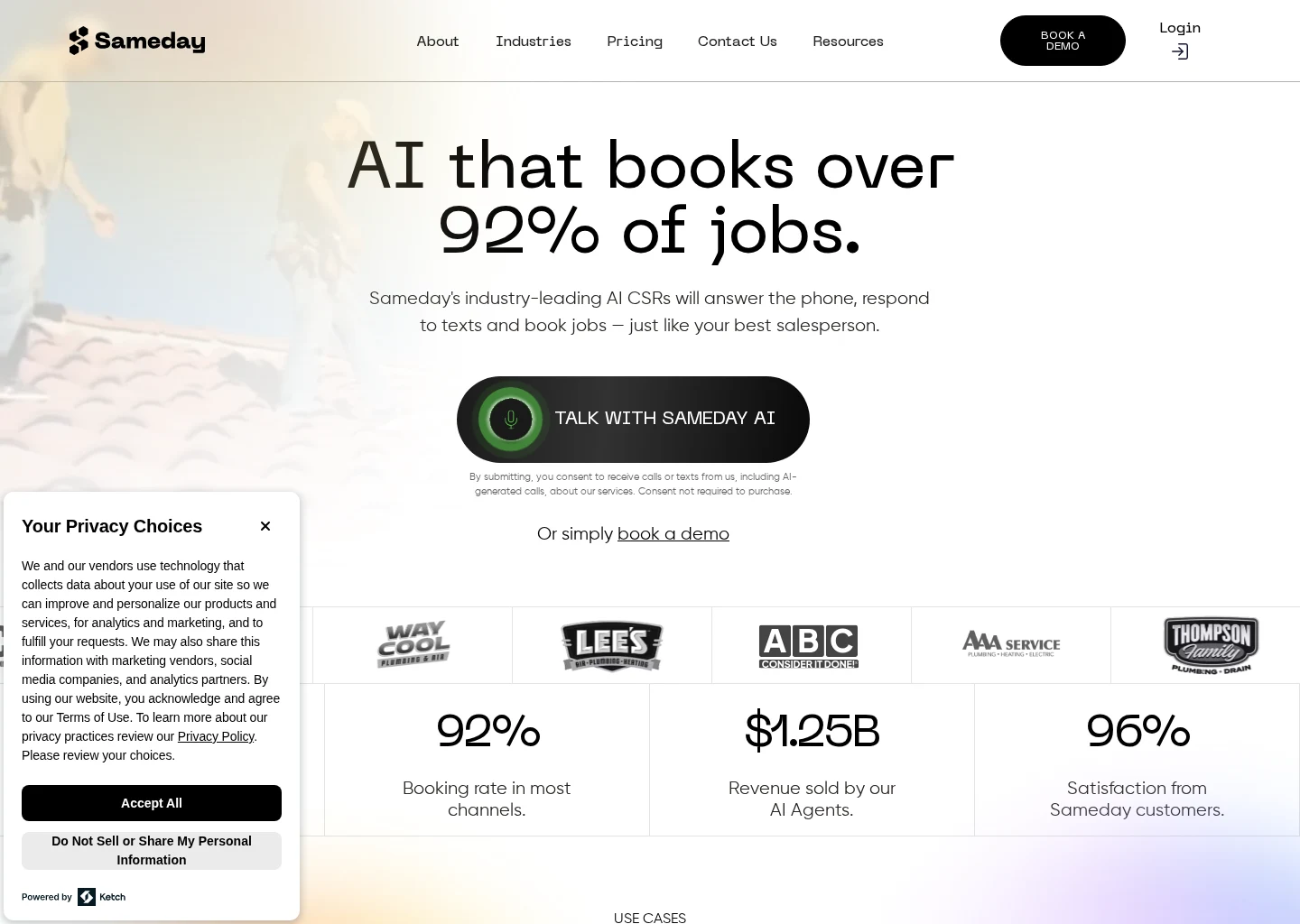
Sameday describes itself as an AI receptionist and scheduling product for home service businesses. It also says it integrates with ServiceTitan and Housecall Pro.
That makes it relevant to the category decision here: an after-hours front desk layer that can capture and schedule home service demand. What is not clear from the reviewed source is how deep its electrical-specific safety screening is, how pricing works, or exactly how booking permissions and escalation logic are configured.
ServiceTitan
ServiceTitan describes itself as a field service management platform used by home service teams for dispatch, scheduling, and customer workflows.
That means ServiceTitan is best understood here as a core system the after-hours workflow should plug into, not necessarily as the answer to after-hours screening by itself. Buyers should ask what sits in front of it and how after-hours intake reaches the right dispatch and scheduling objects.
Housecall Pro
Housecall Pro describes itself as a field service management platform for scheduling, dispatch, invoicing, and customer communication.
Like ServiceTitan, it matters as the operational system that after-hours intake should feed. The buyer question is workflow fit: does the after-hours layer preserve clean records and confirmation flows inside Housecall Pro?
AgentZap
AgentZap describes itself as AI receptionist software with plumbing-specific answering and dispatch positioning. It also says it integrates with ServiceTitan, Housecall Pro, and Jobber.
That is useful as a market cross-check showing that AI answering tools are being positioned around home service dispatch workflows. But for an electrical contractor, the reviewed evidence does not clearly establish electrical-specific safety screening or booking behavior. It is better treated as an example of category positioning than as a proven electrical fit.
Alternatives and where they fit
Not every electrical contractor needs the same after-hours stack. The right answer depends on call volume, emergency mix, and how structured your scheduling system already is.
Voicemail and next-day callback
This can still work for very low after-hours volume and mostly routine work. It is weak for electrical contractors with any meaningful emergency exposure because it does not screen or route in real time.
Live answering service
This can be workable if the scripts are strong and handoffs are disciplined. The risk is inconsistency. Message quality often depends on training, and structured booking may still require re-entry.
In-house on-call coordinator
This gives maximum control, but it is labor-intensive and can become expensive or brittle. It also depends heavily on one person making good judgment calls at night.
AI front desk plus FSM integration
This is often the strongest category fit when you want consistent intake, explicit escalation rules, and structured booking without office bottlenecks. But it only works if the routing logic is tight and the handoff into your scheduling system is clean. For buyers comparing this category more broadly, the Booking and Scheduling Hub is a useful companion resource.
How related searches map back to the same buying decision
Buyers often search three different phrases that sound separate but point to one decision.
After-hours booking for electrical contractors
This phrase focuses on nights and weekends, but the underlying need is still workflow control: capture the lead, separate urgent from routine, and create a clean next step.
AI appointment scheduling for home service contractors
This sounds broader, but the real question is the same. Can the system handle intake quality, escalation rules, and booking behavior without creating office rework?
AI booking software for electricians
This sounds product-led, but the operational need is still identical: qualified intake, clear routing, and clean booking tied to the system your team already use. If you are comparing category options, start with AI Booking and pressure-test the workflow details against your electrical dispatch reality.
In each case, buyers should rank options by:
- safety-sensitive screening
- escalation control
- booking accuracy
- calendar or FSM integration
- confirmation quality
- office rework avoided
That is a more useful frame than comparing generic AI features.
Questions to ask in a demo
A serious after-hours buying process should sound less like software shopping and more like dispatch design.
Routing and safety questions
- What exact signals trigger emergency escalation?
- Can we define our own emergency categories for electrical calls?
- Does the system ever provide technical troubleshooting, or does it only route?
- Can we change escalation rules by season, geography, or service type?
Booking and integration questions
- Can routine calls be booked directly, or only captured for later review?
- Which fields write into our scheduling or FSM system?
- How are duplicate customers prevented?
- What happens when no qualified slot is available?
- What is the fallback if the booking integration fails?
Confirmation and oversight questions
- What does the customer hear or receive after a routine booking?
- How do we review after-hours calls the next morning?
- Is pricing clearly documented, and if not, how is it scoped?
If the answers are vague, the implementation risk is still high.
Common failure patterns to avoid
Electrical contractors should be cautious about three specific mistakes.
Treating every after-hours call as a dispatch event
This protects against missed emergencies, but it destroys efficiency. A better workflow screens first, then escalates based on policy.
Letting automation overreach into safety advice
Your system should identify urgency and route accordingly. It should not become a substitute for licensed judgment or emergency services.
Buying intake without operational handoff
A polished conversation does not matter if your office still has to manually rebuild the job in the morning. The booking path has to end in a usable record.
Final recommendation
For most electrical contractors, the right priority is not a generic AI receptionist and not a pure scheduling widget. It is an after-hours intake and booking workflow that is safety-aware, escalation-controlled, and connected to the scheduling system you already run.
In practical terms, that means:
- use a narrow screening flow for safety-sensitive calls
- send urgent situations to a human or emergency path according to your rules
- book routine work directly into your schedule or create structured records your staff can confirm without double entry
- make sure confirmations are clear so the customer knows what happens next
From the reviewed materials, Sameday is one example of an AI receptionist and scheduling product positioned for home service businesses, with stated integrations to ServiceTitan and Housecall Pro. ServiceTitan and Housecall Pro are clearly relevant as operational systems for dispatch and scheduling. AgentZap is a useful market cross-check for AI receptionist positioning around dispatch, but the reviewed evidence is plumbing-oriented and does not establish electrical-specific fit.
So the recommendation here is category-first and workflow-first. If a vendor can demonstrate safety-sensitive screening, owner-controlled escalation rules, and clean booking into your existing operation, it may be a fit. If it cannot, it is not ready for an after-hours electrical use case. For adjacent workflow context, see AI Booking, Electrical, and the Booking and Scheduling Hub.
FAQ
Can after-hours AI booking work for electricians without creating dispatch chaos?
Yes, but only if the system separates urgent from routine work before it creates a booking or dispatch action. The key is a controlled intake flow tied to your scheduling rules. If every call becomes a generic appointment or a generic message, dispatch confusion is likely.
Should an after-hours system for electrical contractors give troubleshooting advice?
No. The safer standard is to screen for urgency and route based on owner-approved escalation rules. The system should help identify whether the call needs emergency escalation or routine booking, not attempt to walk the caller through electrical repair or diagnosis.
What matters more: the AI tool or the field service platform?
For after-hours electrical booking, the workflow fit between the two matters most. ServiceTitan and Housecall Pro matter because they sit at the center of dispatch and scheduling for many teams. But the deciding factor is whether the after-hours layer can hand off cleanly into that system with accurate intake, clear confirmations, and controlled escalation.
What should electrical contractors verify before choosing a vendor?
Verify four things first: how safety-sensitive calls are screened, how emergency rules are controlled, how routine work is written into your scheduling system, and what the customer is told after the call. Those checks usually reveal whether the product is a real after-hours booking workflow or just a better message taker.
Supporting visuals
Visual proof and context
Screenshots and images that support this article, with sources noted.
Source-backed evidence from www.gosameday.com
Captured evidence
SourceFrequently Asked Questions
Sources