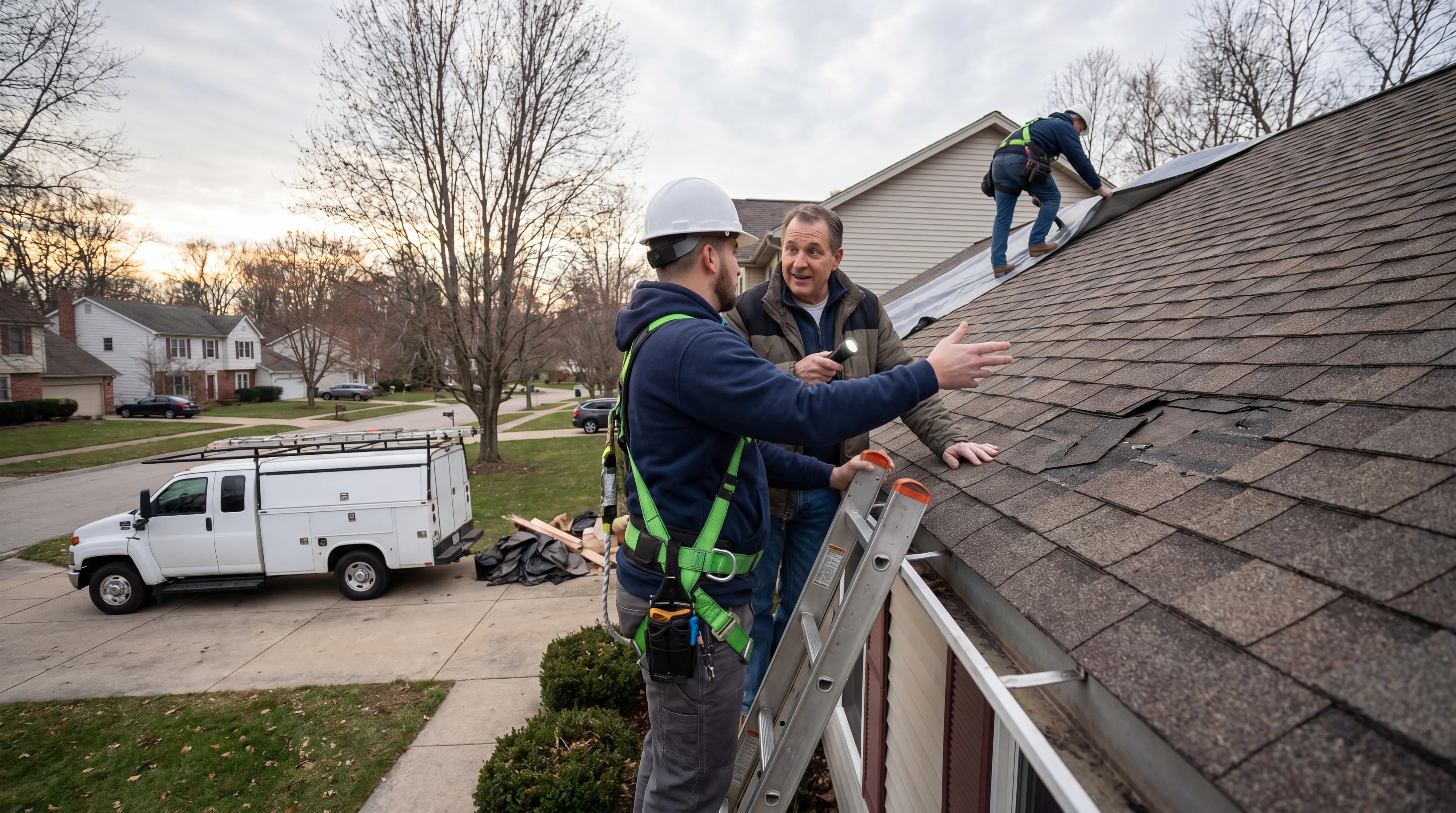
Why this matters
Cover the exact workflows that move a qualified lead from first contact to a booked appointment without double entry or staff bottlenecks.
Short Answer
For roofing companies, the workflow to prioritize is not a generic answering bot and not a pure scheduling tool. It is an emergency triage workflow that does three things in one motion:
- separates active leak and storm-damage calls from routine estimate requests,
- books the correct next step into your scheduling or field service system, and
- escalates urgent cases to a human when the call matches your emergency rules.
That is the commercially sensible direction because roofing demand is uneven by nature. A storm surge can flood the phones with a mix of true emergencies, insurance-related questions, and standard inspection requests. If every call lands in the same queue, your team either overreacts and clogs the schedule or underreacts and misses time-sensitive jobs.
Most of the verifiable detail in this category comes from vendor materials rather than independent testing, so the product examples below are best treated as examples of the current evidence set, not a ranked shortlist. The buyer standard should stay the same either way: triage quality, booking accuracy, integration fit, and clear homeowner follow-up.
From the sources reviewed, the strongest category-level pattern is an AI receptionist or AI booking layer connected to an FSM or scheduling platform. Sameday describes itself as an AI receptionist and scheduling product for home service businesses and lists integrations with ServiceTitan and Housecall Pro. ServiceTitan describes itself as a field service management platform for dispatch, scheduling, and customer workflows. Housecall Pro describes itself as a field service management platform for scheduling, dispatch, invoicing, and customer communication.
So the practical buying decision is this: choose a triage-first booking workflow that can qualify roofing calls, write outcomes into your existing system, and trigger escalation rules for emergency response. If a tool cannot reliably distinguish active leaks from routine estimates, or cannot create the right inspection or dispatch outcome without double entry, it is the wrong workflow for this use case.
For category context, this fits the broader pattern of AI booking for service businesses and the scheduling realities common in roofing operations.
Why Emergency Call Triage Matters More in Roofing
Roofing companies do not just need lead capture. They need decision-quality intake.
A caller saying “my roof is leaking” may mean:
- water is actively entering the home right now,
- there was storm damage last night but no active interior leak,
- shingles blew off and the homeowner wants an inspection,
- they are gathering estimate requests around an insurance claim,
- or they simply want pricing on a future replacement.
Those are not the same operational event. They should not hit the same calendar slot, the same technician queue, or the same callback standard.
Why generic answering breaks down
When roofing businesses treat all inbound calls as routine appointments, three problems show up fast:
- Emergency response slows down
- Inspection calendars fill with low-urgency work while urgent cases wait
- Office staff spend time re-keying notes, clarifying severity, and fixing bad bookings
That is why the buying question is bigger than “does it answer the phone?” The better question is: can it route leak calls, storm-damage intake, and estimate requests into the right next action without creating front-office friction?
Why the business case is strong
A better triage workflow can improve:
- speed to emergency response,
- booking quality for inspections,
- calendar utilization,
- staff leverage during storms,
- and homeowner confidence after first contact.
For roofing, that is where automation becomes commercially useful: not at the point of conversation alone, but at the point where the conversation becomes a clean operational outcome.
The Workflow to Prioritize
The workflow to prioritize is:
Inbound call or message → triage questions → urgency decision → correct booking or escalation → homeowner confirmation
Each step needs to be defined with roofing logic, not generic appointment logic.
The four outcomes your workflow should produce
A strong roofing triage workflow should create one of these outcomes:
- Emergency escalation for an active leak or urgent storm-response case
- Booked inspection for non-immediate storm damage or suspected roof issues
- Routine estimate booking for non-urgent project requests
- Manual review when the caller’s situation is unclear, high-risk, or outside service area
What that means in practice
If your current process sends every roofing inquiry into one callback queue, you do not have triage. You have message capture. The distinction matters because roofing companies make money when qualified demand gets handled fast and correctly, not when every lead becomes a calendar event.
What Strong Solutions Need to Do
At minimum, a roofing triage solution should do four jobs well.
Capture the roofing-specific reason for contact
The intake flow should identify whether the caller has:
- an active leak,
- recent storm damage,
- visible exterior damage,
- a missing shingle or flashing issue,
- a need for inspection,
- or a routine estimate request.
If a product only captures name, phone, and “needs roofing,” it is not doing meaningful triage.
Apply booking rules, not just collect messages
A roofing workflow should know when to:
- book an inspection,
- route to on-call staff,
- place the request into a dispatch workflow,
- or hold for manual review.
That requires rules tied to your calendar, job types, territories, and after-hours policies.
Write the outcome into your existing system
Sameday lists ServiceTitan and Housecall Pro integrations. AgentZap also lists ServiceTitan, Housecall Pro, and Jobber integrations, though the reviewed evidence centers more on plumbing-oriented positioning than roofing. For roofing owners, the key question is not the logo list alone. It is whether the tool can create the correct booking outcome and preserve intake notes in the system your team already uses.
If you are comparing options against a broader booking and scheduling workflow, this is the point to focus on: Does the intake result land cleanly in operations?
Confirm next steps to the homeowner
Homeowner communication is part of triage quality. A booked inspection with vague follow-up can create almost as much confusion as no booking at all.
The Core Intake Fields Every Roofing Company Should Require
Before you define emergency versus non-emergency paths, define the minimum information every inbound request should capture.
Required fields
A good triage flow should collect:
- caller name
- phone number
- service address
- whether the property is residential or commercial, if that affects routing
- reason for contact
- whether there is an active leak
- whether damage is related to a recent storm event
- timing of the problem
- any immediate interior water intrusion
- preferred contact method
- booking outcome or escalation outcome
What to do with insurance-related comments
If insurance comes up, the system can record that the homeowner mentioned an insurance claim or plans to contact insurance. It should not determine claim validity, coverage, or damage severity.
Active Leak Intake Rules
Active leaks need the clearest rules in the workflow.
Identify true active leak conditions
The intake should determine whether water is currently entering the structure or entered very recently and may continue. Useful questions include:
- Is water actively coming in now?
- Is the leak affecting ceilings, walls, or electrical areas?
- Did the issue start during a recent storm?
- Is the home safe to remain in?
This is triage, not diagnosis. The goal is to identify urgency, not to conclude what failed on the roof.
Trigger escalation instead of routine booking
If the caller reports active water intrusion, the system should usually route the call into an emergency path rather than a standard estimate calendar.
That may mean:
- notifying an on-call manager,
- creating a high-priority job or urgent callback,
- or offering the nearest emergency inspection window if your operation uses scheduled emergency slots.
What matters is that the workflow clearly distinguishes this from a normal estimate request.
Avoid false precision
A triage tool should not claim it knows the severity of structural damage from the phone call alone. It should not verify storm causation, insurance eligibility, or repair scope. It should only gather the facts needed to route the case correctly.
Storm-Damage Intake Rules
Storm damage creates a different kind of urgency from an active leak. Many callers need fast attention, but not every case needs immediate emergency dispatch.
Separate post-storm inspections from live emergencies
The system should ask whether:
- there is visible storm damage,
- the damage followed a recent storm event,
- there is any current leaking inside the property,
- debris or fallen materials create an immediate safety concern,
- or the homeowner is requesting an inspection after suspected hail or wind damage.
If there is no active leak and no immediate safety issue, the right outcome is often a booked inspection rather than emergency escalation.
Use storm-response booking rules
Storm events can overwhelm the calendar. That makes booking rules important.
You may want the system to:
- book storm inspections into dedicated blocks,
- prioritize existing customers or geographic clusters,
- separate retail estimate requests from storm-related inspections,
- and flag neighborhoods already assigned to crews.
The product does not need to “understand storms” on its own. It needs to follow your rules consistently.
Capture, do not verify
If the caller says, “insurance told me to get an inspection,” that is useful intake context. But the system should capture it as a note, not make any decision about claim status or damage qualification.
Routine Estimate Request Rules
Routine estimate requests should not be treated like emergencies just because roofing problems sound urgent.
Define what counts as non-urgent
Common non-urgent requests include:
- age-related replacement questions
- resale inspections
- quote requests for visible wear
- financing inquiries tied to replacement timing
- non-active minor leak history where no current intrusion exists
These should usually flow into your standard estimate or inspection calendar.
Keep the calendar clean
One of the biggest benefits of triage is protecting the schedule from bad bookings. A routine estimate should not land in the same slot type reserved for storm response or emergency leak assessment.
That means the workflow should match:
- job type,
- duration,
- assigned team,
- territory,
- and availability rules.
Inspection Booking Rules That Actually Work
This is where many vendor claims sound strong and the real-world detail gets thin. Roofing buyers should look past “books appointments” and inspect the actual booking logic.
Match job type to the right appointment
You need separate booking logic for:
- emergency leak response
- storm-damage inspection
- standard roof inspection
- routine estimate appointment
If the tool can only book one generic appointment type, your office will still spend time fixing the schedule manually.
Respect dispatch and territory logic
ServiceTitan describes itself as a field service management platform used by home service teams for dispatch, scheduling, and customer workflows. Housecall Pro describes itself as a platform for scheduling, dispatch, invoicing, and customer communication. For roofing businesses already using one of these systems, the value is not just that an integration exists. It is whether the triage layer can respect the dispatch logic your team already depends on.
Ask to see:
- service-area restrictions
- calendar conflict handling
- after-hours rules
- lead source or job tag write-back
- whether triage notes appear on the appointment record
Reduce double entry
A strong workflow should move the caller from intake to booked appointment without the office having to re-enter the address, issue type, and urgency notes into the FSM.
That is where the commercial value becomes real: less admin friction, faster response, and cleaner calendars.
Teams evaluating this step in more detail can map it against their broader AI booking process and existing booking and scheduling rules.
Homeowner Communication After Triage
Triage is incomplete if the homeowner is left guessing what happens next.
The three messages every workflow should support
After triage, the system should communicate one of three clear outcomes:
- Emergency escalation: someone from your team is being alerted now, and here is the expected response format
- Booked inspection confirmation: here is the appointment date, time window, and what to expect
- Manual review: your team needs to review details and will follow up within a defined timeframe
What the confirmation should include
At minimum, confirmation should include:
- your company name
- the type of appointment or escalation
- the address or property reference
- time window if booked
- callback expectations if escalated
- a simple summary of what the customer reported
What to verify with vendors
The reviewed sources are less clear on how much customization each vendor supports for confirmation language, fallback logic, and exception handling. Buyers should verify that directly in a demo.
How “AI Appointment Scheduling for Home Service Contractors” Maps to This Decision
The query AI appointment scheduling for home service contractors sounds broader than roofing, but the buying decision is the same once you narrow it to emergency call triage.
The four filters roofing owners should use
Roofing owners should interpret that query through four filters:
- Can it qualify the issue before booking?
- Can it route emergencies differently from standard jobs?
- Can it write into the scheduling or FSM system already in use?
- Can it confirm the next step to the homeowner without staff cleanup work?
If the answer is no to the first two, it may still be a scheduler, but it is not a strong fit for roofing emergency triage.
Why generic scheduling often underperforms in roofing
The problem is not the calendar alone. The problem is calendar plus urgency plus dispatch logic plus follow-up communication. Roofing operations put more pressure on these handoffs than many service categories because storm demand and active leaks create sharper priority differences.
How “ServiceTitan AI Booking Assistant” Should Be Evaluated
The query ServiceTitan AI booking assistant also maps back to the same workflow question, even though the wording sounds product-specific.
What the current evidence does and does not show
From the reviewed sources, ServiceTitan is clearly positioned as a field service management platform covering dispatch, scheduling, and customer workflows. What the current evidence does not clearly document is the exact scope of any specific AI booking workflow for roofing emergency triage.
The buyer checks that matter
A roofing company evaluating anything framed around ServiceTitan AI booking should ask:
- Can it distinguish active leak calls from standard inspections?
- Can it trigger emergency escalation rules after hours?
- Can it book different roofing appointment types correctly?
- Can it preserve intake notes without CSR re-entry?
- Can it send homeowner confirmations tied to the booked outcome?
- What happens when the caller’s issue is ambiguous?
Those questions matter more than the label.
Where ServiceTitan, Housecall Pro, and AI Receptionists Fit
Many roofing owners get stuck because they compare unlike systems.
ServiceTitan and Housecall Pro
ServiceTitan and Housecall Pro are positioned as platforms for scheduling, dispatch, and customer workflows. In many service businesses, they function as the operational system of record.
For roofing emergency triage, they matter because they are the systems where jobs, appointments, dispatch activity, and communication often need to land.
AI receptionists and AI booking layers
Sameday describes itself as an AI receptionist and scheduling product for home service businesses and lists ServiceTitan and Housecall Pro integrations. That makes it relevant to this category because the value proposition aligns with front-end intake plus booking.
AgentZap describes itself as AI receptionist software with plumbing-focused answering and dispatch positioning, and it lists ServiceTitan, Housecall Pro, and Jobber integrations. That is useful as an example of how the category frames AI answering and dispatch, but it is not enough on its own to treat it as a roofing-specific recommendation. Roofing buyers should verify whether the actual call logic, scripts, and booking rules support leak and storm-response scenarios.
The practical fit to test
For roofing, a common architecture is:
- FSM or dispatch platform as system of record
- AI receptionist or AI booking layer as front-end intake and triage
- human escalation path for urgent exceptions
That is the workflow fit to test, regardless of vendor branding.
What to Verify Before You Buy
Because pricing, implementation depth, and exact workflow boundaries are not fully documented in the reviewed sources, verify these points in a live demo.
Triage logic
Ask the vendor to demonstrate:
- active leak classification
- storm-damage intake
- routine estimate routing
- after-hours escalation
Booking accuracy
Ask to see:
- job type creation
- calendar write-back
- technician or team assignment logic
- service-area enforcement
- duplicate booking prevention
Homeowner communication
Confirm whether the system can:
- send confirmation messages
- summarize next steps clearly
- handle reschedules or changed urgency
- notify staff and homeowner differently depending on the outcome
Operational control
Make sure your team can adjust:
- emergency triggers
- service territories
- booking windows
- storm-response rules
- escalation contacts
If those rules require vendor intervention every time you need a change, the system can become a bottleneck during peak weather events.
Final Recommendation
For roofing companies deciding how to route active leaks, storm damage, and routine estimate requests, the strongest source-backed recommendation is category-first:
prioritize an AI triage and booking workflow that sits in front of your scheduling or FSM platform and can escalate true emergencies while booking non-emergency inspections automatically.
That recommendation is commercially useful because it aligns the phone answer with the operational outcome that matters:
- urgent calls get urgent handling,
- standard inspections get scheduled,
- staff avoid double entry,
- and homeowners get immediate clarity on what happens next.
From the current evidence set:
- Sameday is relevant because it describes itself as an AI receptionist and scheduling product for home service businesses and lists integrations with ServiceTitan and Housecall Pro.
- ServiceTitan is relevant because it describes itself as a field service management platform for dispatch, scheduling, and customer workflows.
- Housecall Pro is relevant because it describes itself as a field service management platform for scheduling, dispatch, invoicing, and customer communication.
- AgentZap is relevant as an example of AI receptionist and dispatch positioning with ServiceTitan and Housecall Pro integrations, but the reviewed evidence is centered on plumbing-oriented use cases rather than roofing-specific emergency triage depth.
So do not buy on branding language alone. Buy on whether the workflow can reliably:
- capture active leak and storm-damage intake,
- apply inspection booking rules,
- escalate urgent cases to a human,
- write the result into your operating system,
- and communicate next steps to the homeowner.
If you are comparing solutions internally, align them against your current roofing workflow, your broader AI booking requirements, and the operational checks above. If you want to evaluate a specific implementation path, you can also review the setup options on the get started page.
FAQ
What is emergency call triage for roofing companies?
It is the process of classifying inbound roofing calls by urgency and routing them to the correct next action. In practice, that means separating active leaks and urgent storm-response cases from standard inspections and routine estimate requests.
Should active leak calls be booked like regular estimates?
Usually no. Active leak calls typically need an emergency path, such as urgent callback, dispatch review, or a dedicated emergency inspection slot. The exact rule depends on your business model, but they should not be treated as ordinary quote requests.
Can AI determine roof damage severity or insurance eligibility?
No responsible buying process should assume that. AI can collect symptoms, timing, storm context, and homeowner notes. It should not verify insurance coverage, claim validity, or the actual severity of roof damage from intake alone.
What should happen after triage?
The homeowner should receive a clear confirmation of the outcome: emergency escalation, booked inspection, or manual review. Internally, your system should store the intake notes, urgency level, and appointment or escalation status without requiring avoidable re-entry.
Supporting visuals
Visual proof and context
Screenshots and images that support this article, with sources noted.
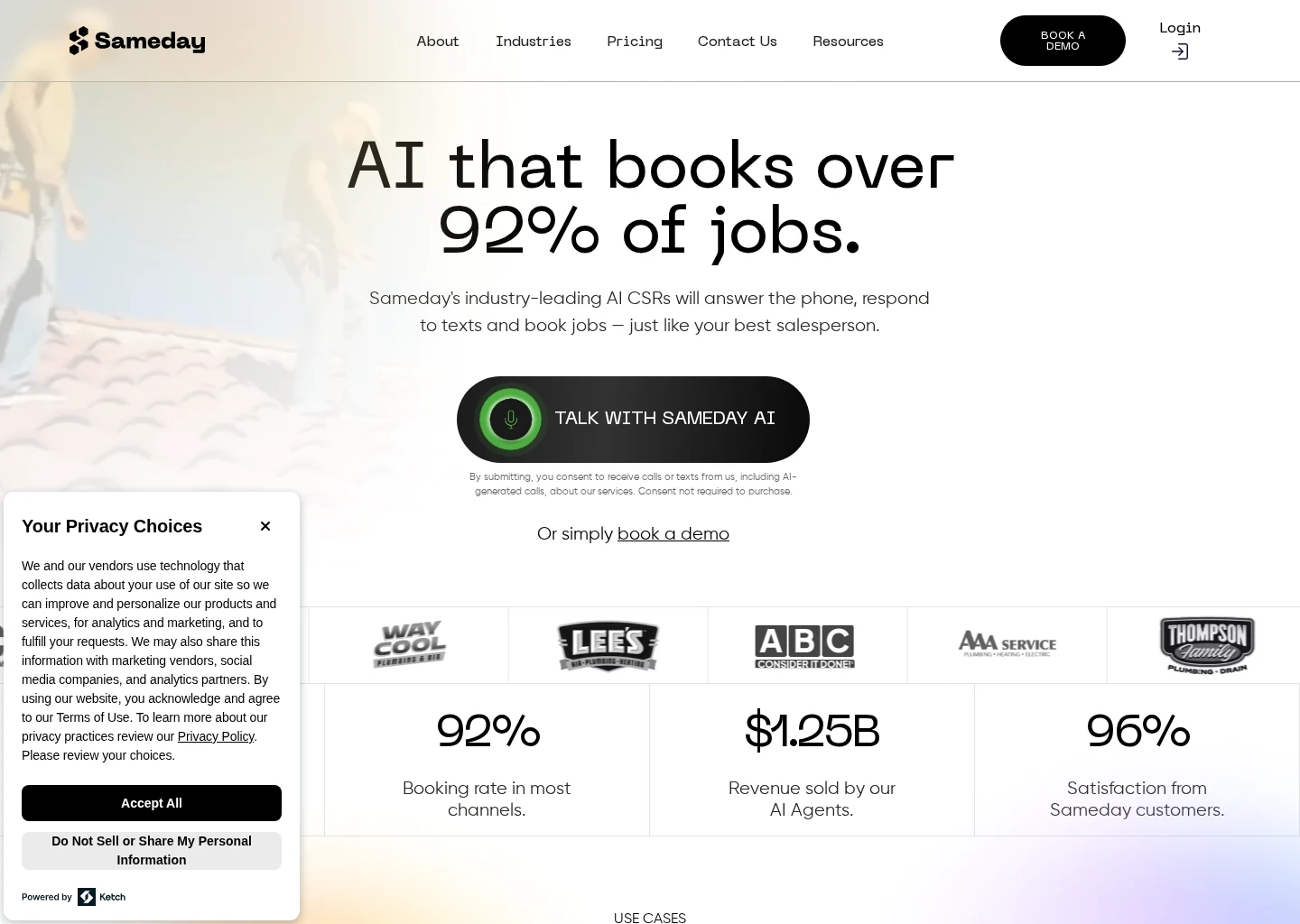
Source-backed evidence from www.gosameday.com
Captured evidence
SourceFrequently Asked Questions
Sources